Turn a date into a reminder you review
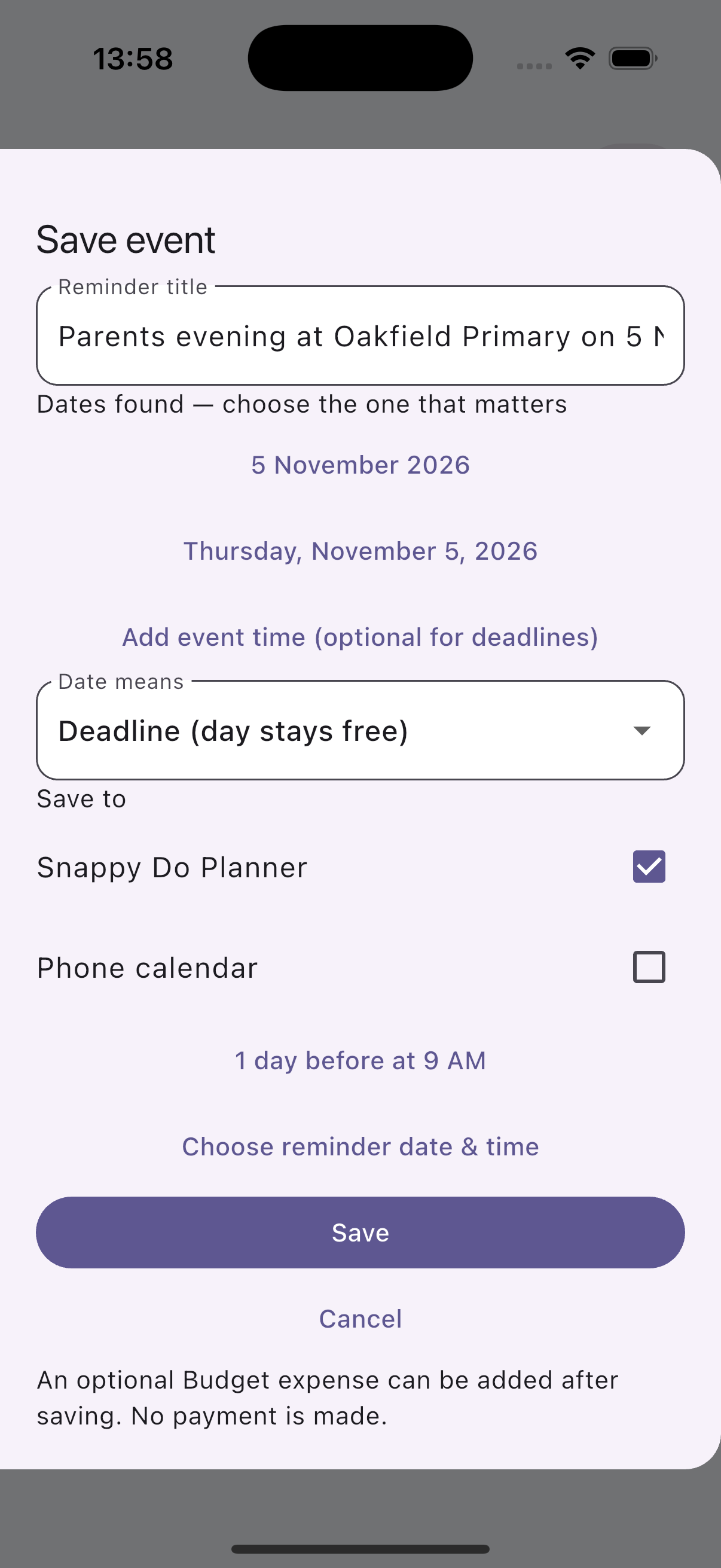
Letters, bills and bookings often hold several dates, and only one of them matters. After you capture the text, Review date & reminder lists the dates it found. You choose the right one, check the time and decide where it goes. Nothing is saved until you tap Save.
Pick the date that matters
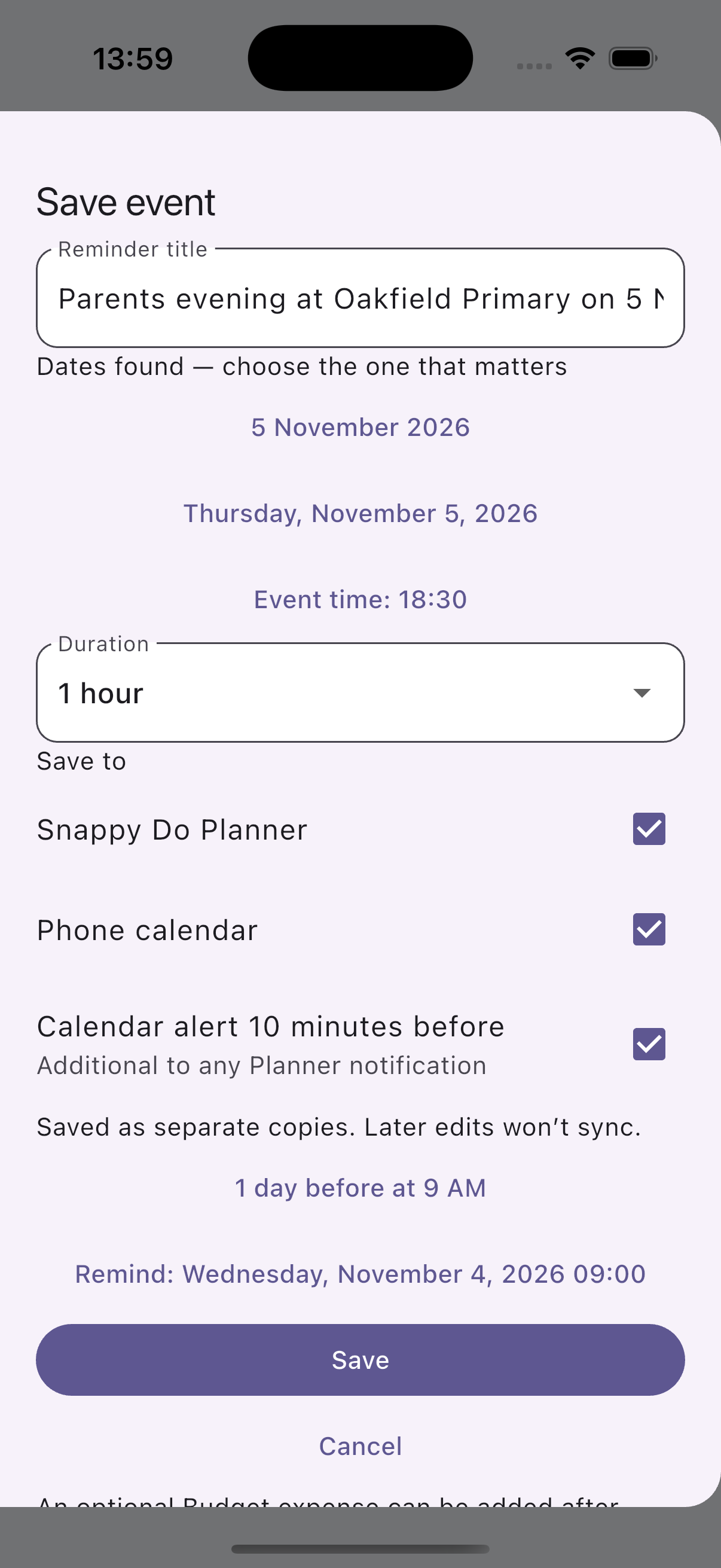
TapReview date & reminderbelow the capture buttons. UnderDates found, choose the right date. For a bill, that might be the payment date rather than the date the letter was written. Then check the title, time and duration.

Choose where it goes
UnderSave to, Snappy Do Planner is ticked to start. TickPhone calendarif you also want an event in your phone’s calendar, with an optional calendar alert 10 minutes before. Your phone asks for calendar permission the first time you choose the phone calendar.

Checks before anything is saved
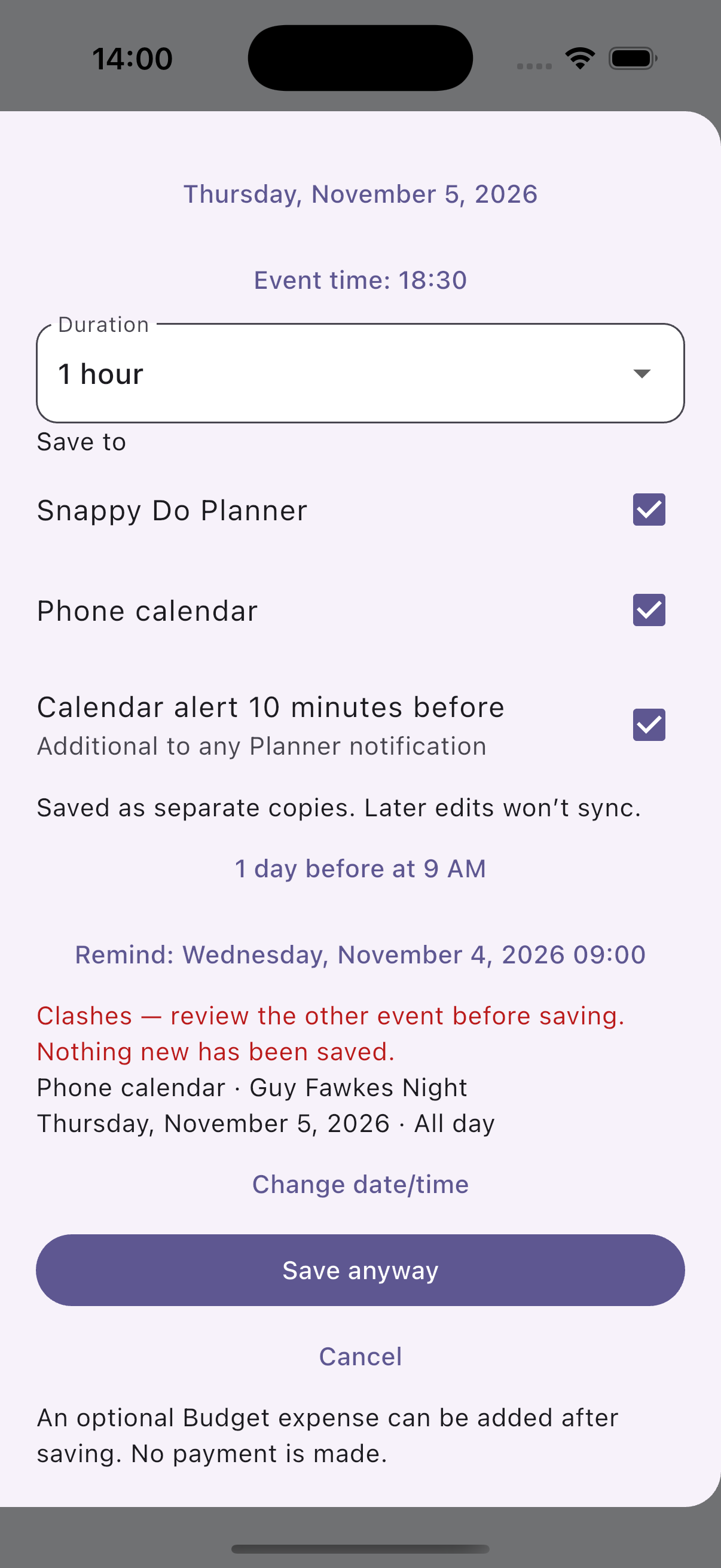
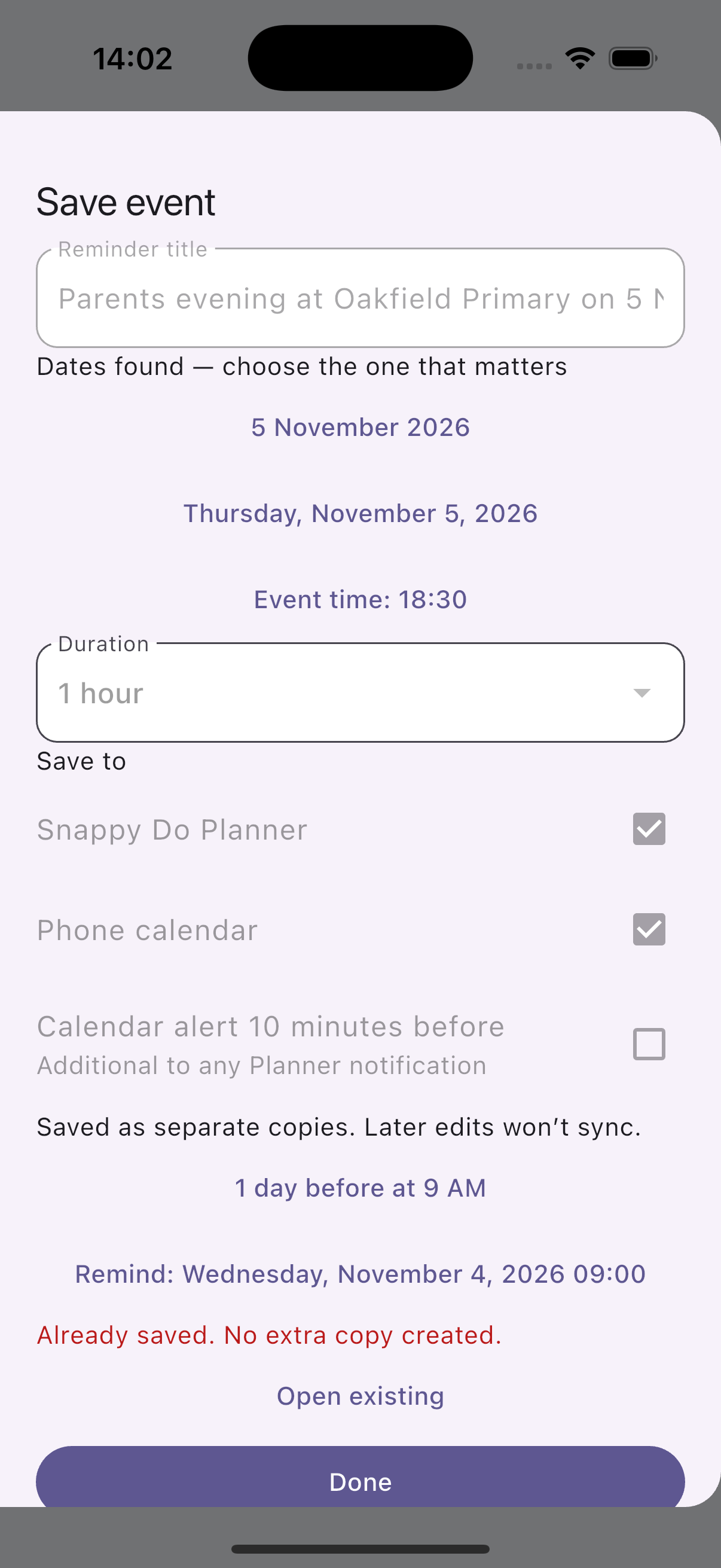
Before saving, Snappy Do checks Planner and your phone calendar. If the same entry is already there, it saysAlready savedand creates no extra copy. If another event is at the same time, it shows the clash first, so you can chooseChange date/time,Save anywayorCancel.


Good to know
- Phone-calendar saving is included in Snappy Do It 1.0.9, available on the App Store and Google Play.
- Snappy Do shows the dates it found. You decide which one matters, so check it before saving.
- A saved calendar event is a separate copy that doesn’t sync with Snappy Do. The page Planner or phone calendar? explains the difference.
- The Review date & reminder panel is in English for now, even when the app uses another language.
Questions
Does Snappy Do add events to my calendar automatically?
No. You review the date and time, choose Planner, your phone calendar or both, and tap Save.
Can it pay a bill or connect to my bank?
No. Snappy Do helps you remember the date. It has no bank connection and makes no payments.

Get Snappy Do It
£7.99 UK launch price, paid once through your app store. No subscription for the included local tools, and no app account.