Turn a photo into a checklist
Got a letter, a notice or a list on paper? Take a photo or choose one you already have. Snappy Do reads the text on your phone, you check it, and Make checklist suggests a task for each line. Nothing is added until you approve it.
1. Capture the text
Tap Snap it to use the camera, or Choose photo to pick an image you already have, such as a screenshot of a booking. Open Source & review to compare the image and extracted text before making task suggestions. The text is recognised on your device: Apple Vision on iPhone and iPad, Google ML Kit on Android. You can also type or paste text, or record audio.
Use a clear photo that is in focus, well lit and free of glare. Blurry or unreadable text can produce missing or incorrect words.

2. Check it before you continue
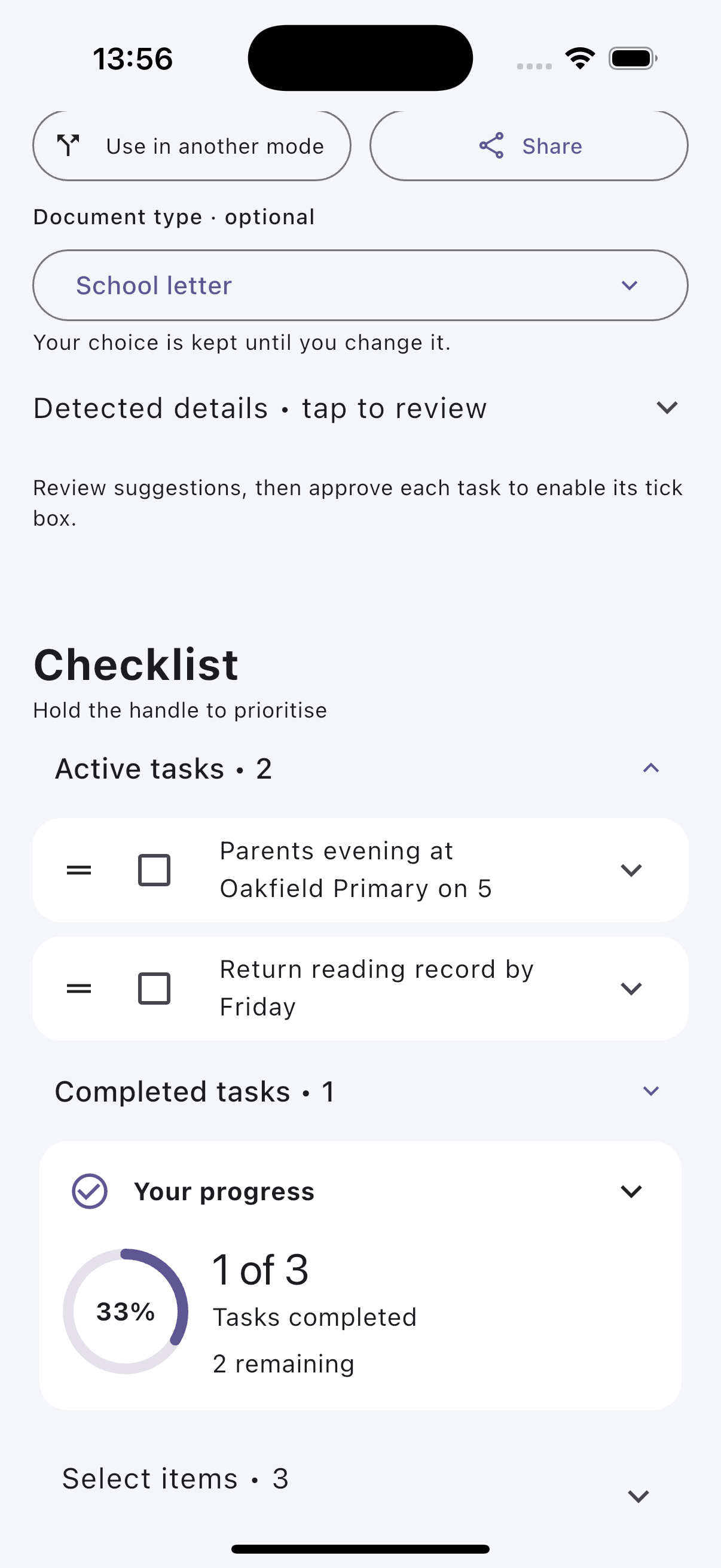
Recognition can make mistakes, so read the text in the box and fix any words, dates, times or amounts. You can give it a document type, such as School letter, make your own type, or leave it Unclassified. You can change this later.

3. Approve the tasks you want
Tap Make checklist. Each line becomes a suggested task, worded as you wrote it. Approve the ones you want, then tick them off. You can add due dates and reminders, reorder tasks and see a progress summary.
Your original text stays in the box, so you can make something else from it too, such as a reminder or a budget entry.

Good to know
- Suggestions come from your own lines. Snappy Do doesn’t invent tasks or rewrite your wording.
- Blurry, dark or glare covered photos can produce missing or incorrect words, so always check the text.
- Local backups include your text, items, recordings and retained source images. Keep readable backups private.
- Text recognition runs on your device. On Android, Google’s ML Kit may send diagnostic and usage data to Google, as the privacy policy explains.
Questions
Can I use a photo I already took?
Yes. Choose photo opens an image you already have, such as a photo of a notice or a screenshot of a booking.
Does Snappy Do add tasks automatically?
No. Make checklist suggests a task for each line, and nothing is added until you approve it.

Get Snappy Do It
£7.99 UK launch price, paid once through your app store. No subscription for the included local tools, and no app account.