Keep event expenses on budget
Planning a school trip, a party or a club event? Use the calculator below for a quick total, then see how Budget in the app keeps the expenses you check against a spending limit.
Event budget calculator
Enter your budget, then what you’ve spent or plan to spend. Use one currency, like a budget in the app.
Website calculator, not the Snappy Do app. It works in your browser, saves nothing and sends nothing.
In the Snappy Do app, Budget does this for the expenses you check and save, and keeps them on your phone with an optional spending limit. This website calculator is separate: the app can’t import its figures. See how Budget works in the app.


How Budget works in the app
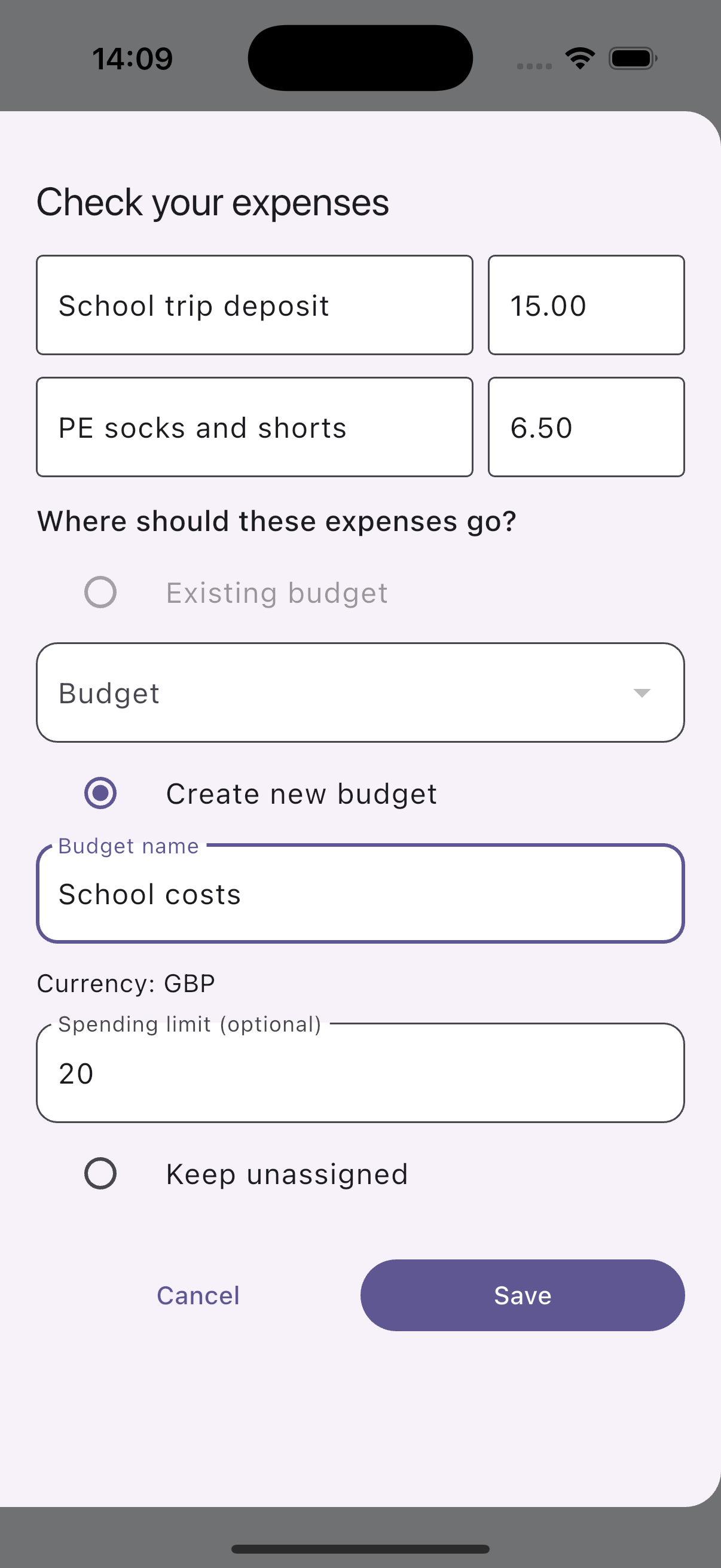
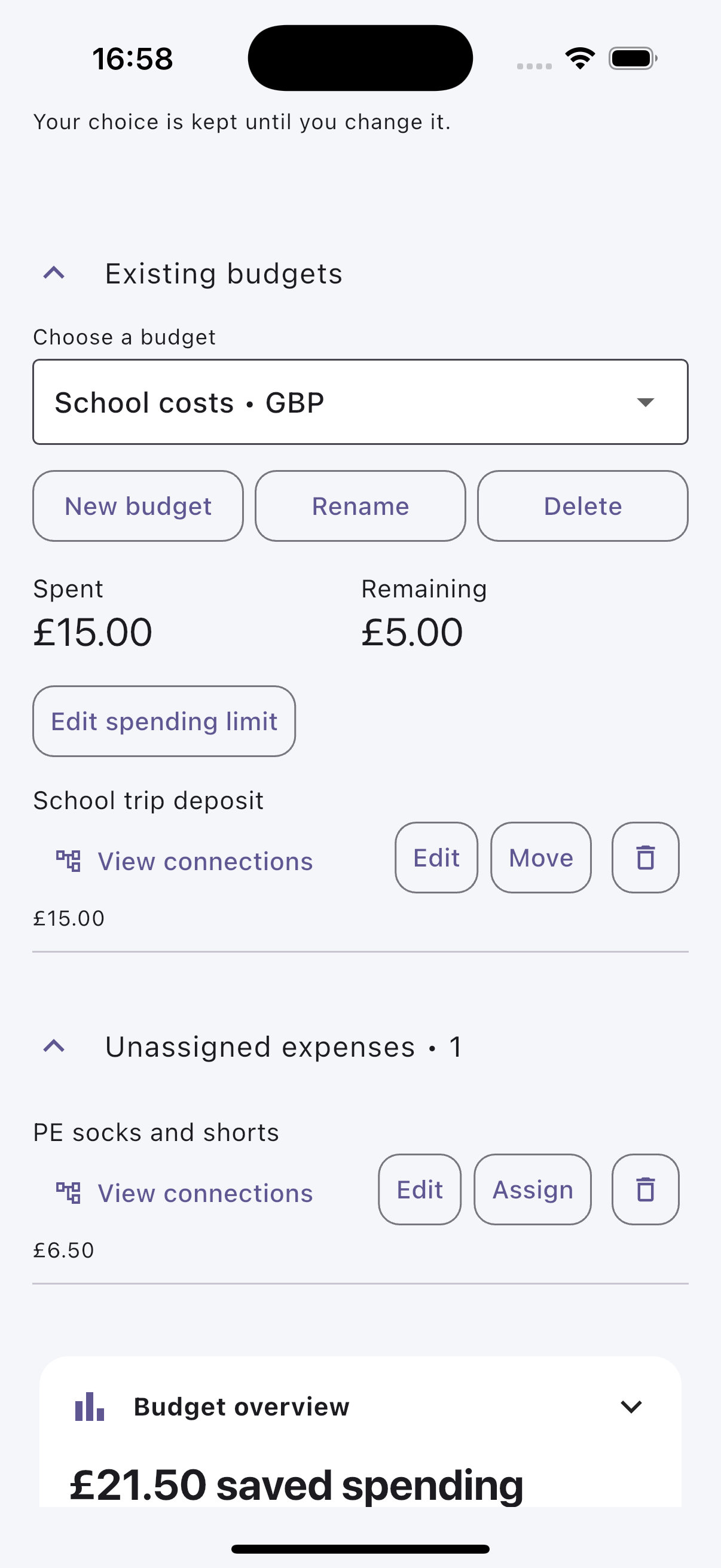
Photograph a receipt or type what you spent. Check each name and amount, then choose where the expenses go: an existing budget, a new budget, or keep them unassigned. Set an optional spending limit, and the overview shows what’s left.


Warned, not blocked
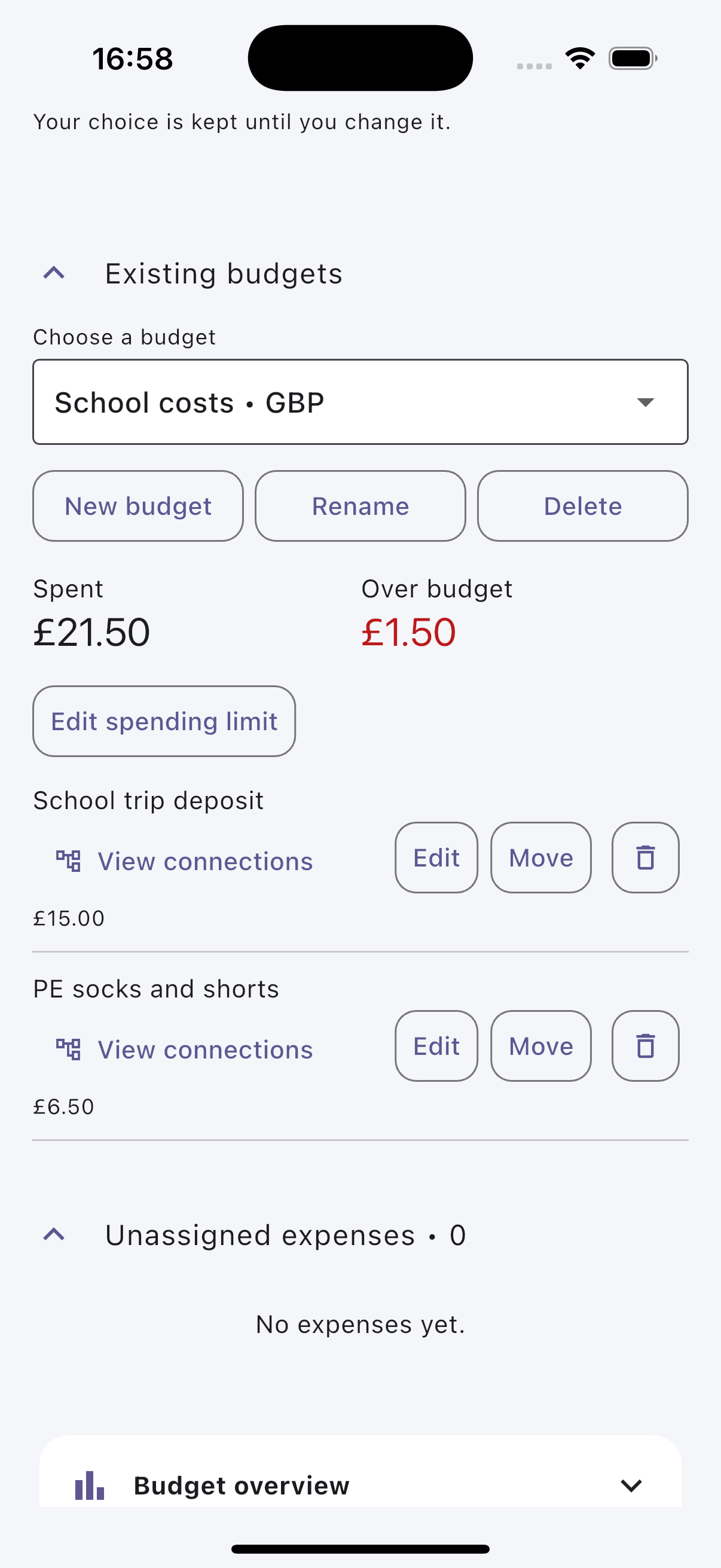
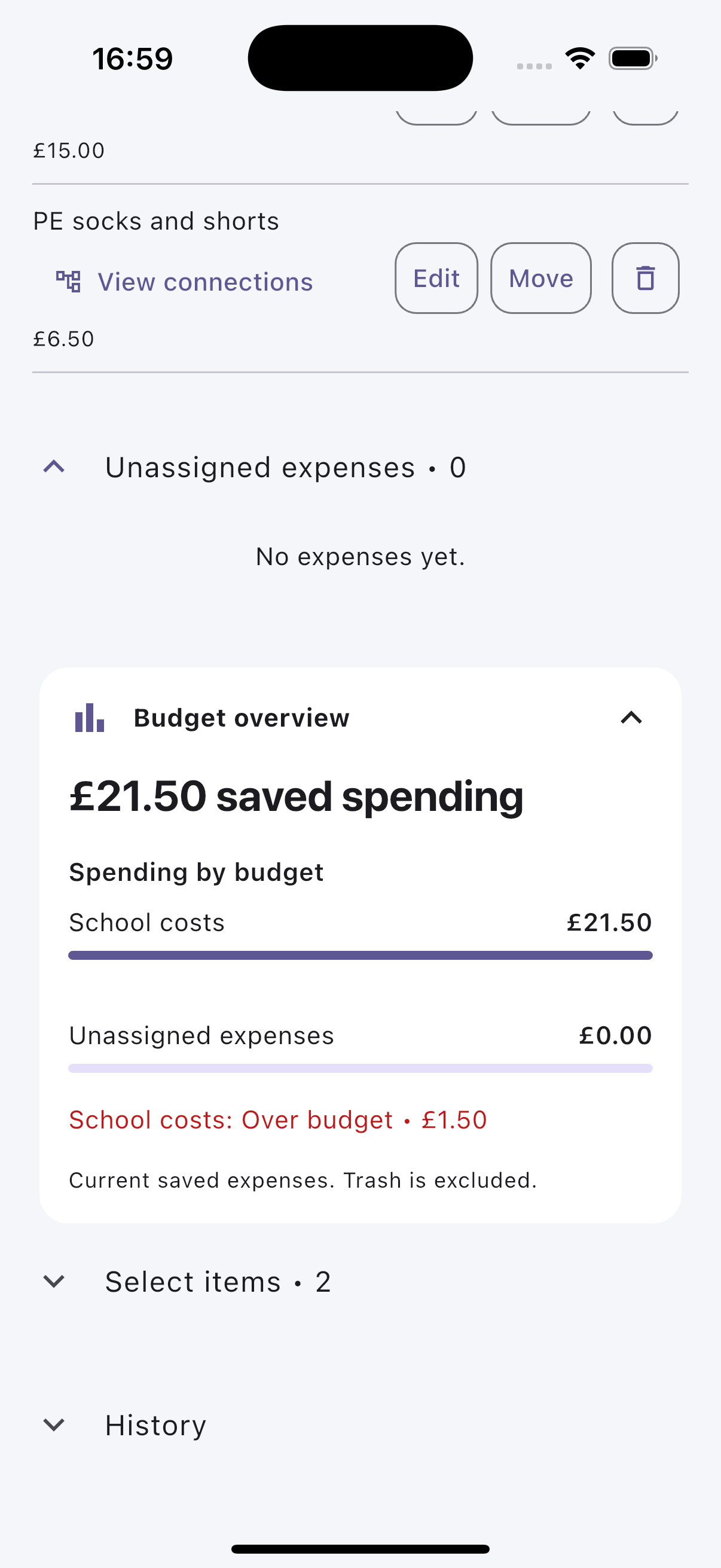
If you go over the limit, Budget shows a clear over budget warning, and your expense is still saved. The overview shows spending by budget.


Good to know
- Each budget keeps one currency. Amounts in different currencies stay unassigned and are never converted or added together.
- No bank connection, no payments and no tax export.
- Deleting a budget keeps its expenses as unassigned.
- The calculator on this page is a separate website tool. It doesn’t save your figures, and the app can’t import them.
Questions
Can the app import my calculator figures?
No. The calculator runs only in your browser and keeps nothing. In the app, you add expenses by capturing a receipt or typing them, and check them before saving.
Does Budget connect to my bank?
No. There is no bank connection. You check and save expenses yourself.

Get Snappy Do It
£7.99 UK launch price, paid once through your app store. No subscription for the included local tools, and no app account.